
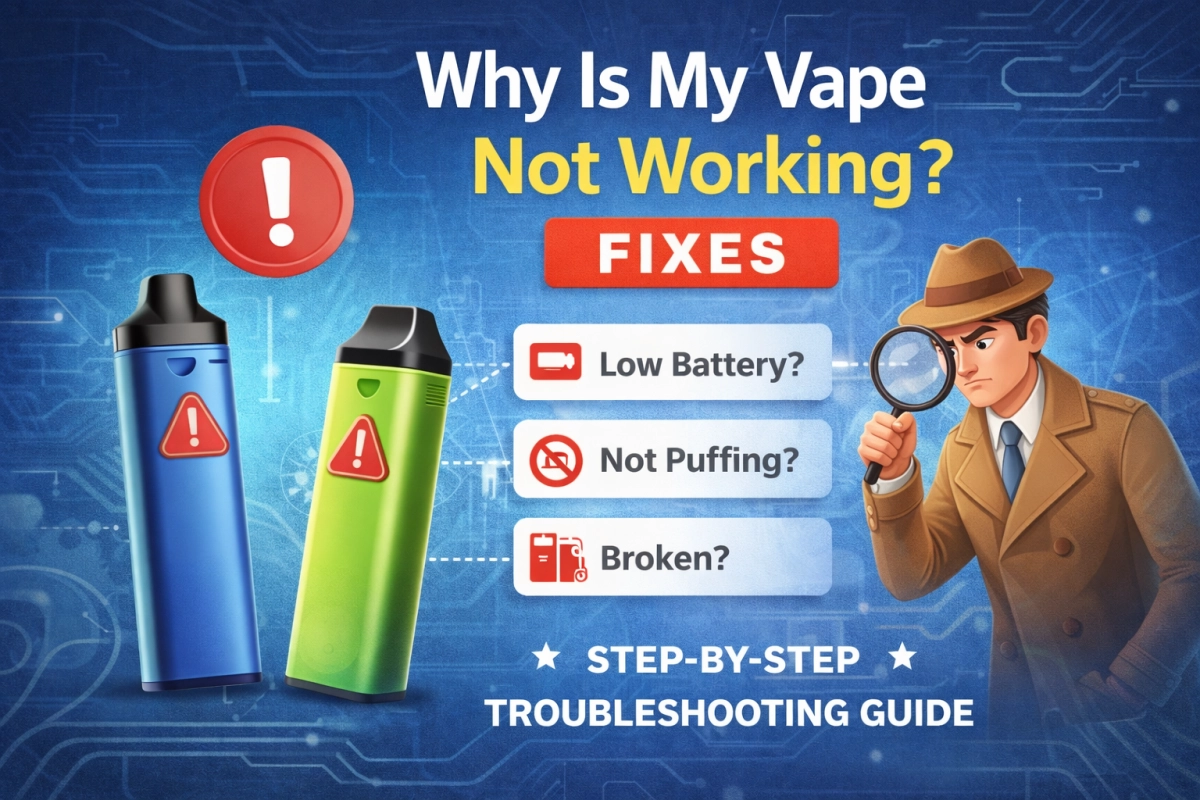
Scope: This guide focuses on empty only vape pens, pods, and cartridges (no discussion of contents). It’s written as a safe, user-level troubleshooting flow: symptom → most likely cause → low-risk fix → when to stop and replace. For the system overview that makes troubleshooting faster, start here: how do vapes work.
If you’re searching why is my vape not working, you usually want one thing: a clean sequence of checks that gets you back to normal performance without risky “hacks.” The fastest wins come from understanding the flow of the system: air in → airflow path → heating zone → aerosol out. When any step is restricted (airflow), inconsistent (contacts), or out of balance (wicking), you feel it immediately.
Best practice for faster diagnosis: change one variable at a time
Avoid doing five fixes at once. Test after each step so you know the real cause and can prevent repeats. If you want a full failure-map that groups symptoms by root cause, keep this open in another tab: why is my vape not working.
Safety first: when to stop
Troubleshooting should be low-risk and reversible. Stop using and isolate the unit if you notice any of the following:
- Unusual heat, burning odor, visible charring, or melted plastic
- Auto-activation behavior (turns on by itself)
- Cracked housing, loose internal parts, or liquid intrusion that keeps returning after drying
- Repeated “no-response” after basic cleaning and reseating
In these cases, the safest path is replacement or professional inspection rather than deeper intervention.
60-second triage (fast checks)
Do these in order. Most “dead” setups are solved here.
- Check airflow openings: remove any dust or pocket lint; make sure nothing blocks air inlets.
- Check the mouthpiece: wipe condensation; confirm the draw path isn’t visibly obstructed.
- Check seating: remove and re-seat hand-tight (snug, not forced).
- Check contacts: dry-wipe connection points; let everything fully dry before reassembly.
- Check technique: overly hard pulls can flood or worsen a clog. If you’re unsure, review inhale technique.
Quick setup reminder (first-time problems look like failures)
If this is your first use (or a new pod/cartridge), use a short setup checklist first: vape pen setup.
Symptom → cause → fix (quick matrix)
| Symptom | Most likely cause | Safe fix (user-level) |
|---|---|---|
| Indicator turns on, but no output | Contact contamination, mis-seating, or a failed pod/cartridge | Dry-wipe contacts → re-seat hand-tight → test with a known-good empty only pod/cartridge |
| Tight draw / feels blocked | Airflow restriction, condensation pooling, or clogging | Clear air inlets → wipe mouthpiece → rest upright a few minutes → take gentler MTL draws |
| Gurgle / wet mouthpiece | Flooding from hard pulls, condensation, or seal fatigue | Wipe mouthpiece → reduce draw strength → pause between puffs → keep upright |
| Burnt taste / harsh hit | Wicking lag, residue buildup, or overheating during chain puffs | Stop and rest → slow draw → longer pauses → replace the pod/cartridge if symptom repeats |
| Won’t turn on / no indicator | Lockout, drained power, port contamination, or internal failure | Confirm on/off sequence → try a different cable/power source → inspect/clean port → replace if still dead |
If you maintain 510-thread setups, use a connector-focused SOP for fast isolation (contact vs fit vs part failure): 510 connector fix.
Indicator turns on but no output
This is the classic “everything looks normal, but nothing happens” complaint. In most cases the heating zone never gets consistent power because the contact surfaces are contaminated or the seating is slightly off. You’ll often notice it works only when “tightened just right,” or it works once and then fails again.
Step-by-step (keep it simple)
- Power off (if your unit has a power sequence).
- Remove the pod/cartridge and inspect for visible residue around the base.
- Dry-wipe contacts using a clean, lint-free cloth. Avoid leaving fibers behind.
- Re-seat hand-tight until snug. Do not crank down.
- One-variable test: try a known-good empty only pod/cartridge to confirm whether the issue follows the part.
Why this happens (the “system view”)
Small films of residue reduce effective contact area, and mis-seating can prevent a flat interface. When that happens, the system can “wake up” (indicator lights) but fail to deliver stable output. The deeper explanation is in the pillar: how do vapes work.
Tight draw, clogs, and airflow problems
Most airflow complaints come from simple restrictions: blocked air inlets, condensation in the mouthpiece path, or clogging in the draw channel. The physics are straightforward: if airflow is reduced, you instinctively pull harder, which can worsen flooding or pull more liquid into the air path.
Safe airflow reset
- Clear air inlets: check for lint, stickers, protective caps, or finger occlusion.
- Wipe the mouthpiece: condensation can narrow the draw path.
- Rest upright for a few minutes to let condensation settle.
- Reduce draw force: switch to gentle MTL pulls (see inhale technique).
If you want the science behind why small channels clog and why flow changes with thickness, see capillary action and reference viscosity data for common carriers (see References).
Wet mouthpiece, gurgle, or leaks
“Wet hits” are typically condensation pooling or flooding caused by overly forceful pulls, repeated short pulls without rest, or seal fatigue. The fix is usually pacing and handling, not brute force.
Low-risk fixes that work
- Wipe and reset: remove the pod/cartridge, wipe the mouthpiece and base, let it air-dry.
- Slow down: gentler draws reduce pressure swings that pull liquid into the air path.
- Keep upright: orientation affects where condensation collects.
- Inspect seals: if you see recurring moisture at the same seam, the part may be past its reliable window.
Empty only note: handling matters more than people think
For empty only programs, consistent storage (upright, capped, protected from dust) reduces the most common field complaints: tight draw, wet mouthpiece, and intermittent contact. If leaks repeat after a wipe-and-rest reset, treat it as a replace event.
Burnt taste or harsh hits
Burnt or harsh hits usually signal that the wicking pace can’t match your draw pace, or residue buildup is changing heat transfer. The safest approach is to stop, cool, and then retest with gentler use. If it repeats, replacing the pod/cartridge is often the correct move.
What to do immediately
- Stop and rest for several minutes.
- Shorten puff length and increase the pause between puffs.
- Confirm airflow is clear so you’re not compensating with harder pulls.
- Replace the pod/cartridge if the taste returns quickly after reset.
For background on aerosol formation (often called “vapor” in everyday language), see aerosol basics.
Won’t turn on / power issues
When there’s no indicator response, start with the simplest explanations: lockout sequence, drained power, or port contamination. Avoid aggressive cleaning methods that can leave fibers, moisture, or residue behind.
Safe checks
- Confirm the lock/unlock sequence (many units use rapid clicks).
- Try a known-good cable and power source and allow adequate time.
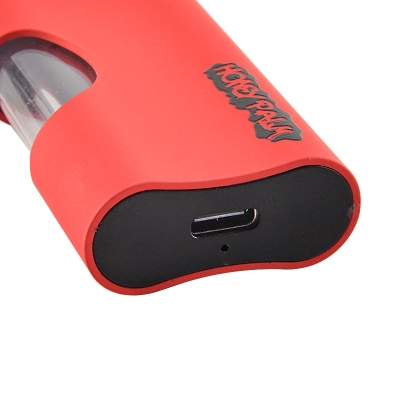
- Inspect the port for dust or pocket lint; dry-clean only.
- If it repeatedly fails after basic checks, treat it as a replace event.
If you use 510-thread setups and your symptoms look like “no-response unless tightened just right,” jump straight to: 510 connector fix.
Fix vs replace (decision rules)
The goal is consistent performance and repeat prevention. Use these replace thresholds to avoid wasting time.
| If you see this… | And you already tried… | Do this next |
|---|---|---|
| Intermittent output that returns only at one “sweet spot” seating | Dry-wipe contacts, re-seat hand-tight | Replace the pod/cartridge; if it persists, follow the 510 contact SOP |
| Recurring wet mouthpiece at the same seam | Wipe + rest upright + gentler pulls | Replace the pod/cartridge (seal fatigue) |
| Burnt taste that returns quickly after a cool-down | Shorter pulls + longer pauses | Replace the pod/cartridge (wear threshold reached) |
| No response / no indicator after basic checks | Lock/unlock, cable and port checks | Replace the unit |
If you want a structured discussion of wear patterns and replace thresholds (in plain language), this internal guide helps: How Long Do Vapes Last? Wear & Replace.
Empty only handling checklist (repeat prevention)
Most “mystery failures” are preventable with consistent handling. These steps are especially helpful for teams managing multiple lots and trying to reduce returns.
Storage and handling
- Keep mouthpieces capped (or protected) to reduce lint intrusion.
- Store upright when possible to manage condensation patterns.
- Protect contact ends from dust and fibers during transport and staging.
- Label lots and keep simple trace notes (date received, lot code, model).
Incoming checks (fast, non-destructive)
- Visual: seam uniformity, mouthpiece fit, and port cleanliness.
- Airflow: confirm draw isn’t blocked before first use.
- Seating: confirm hand-tight fit is stable (no wobble).
- Contact: dry-wipe before first use if packaging sheds fibers.
For a deeper connector reliability routine, use the QC-style guide: 510 connector fix.
References
These external references support the underlying physical concepts used in troubleshooting (aerosol formation, flow in small channels, and viscosity). They are included for educational context and are not a substitute for manufacturer instructions.
- aerosol basics — definition and fundamentals.
- capillary action — why small channels clog and why flow behavior changes.
- propylene glycol (PubChem) — reference data.
- glycerol (PubChem) — reference data.
- glycerin reference data (NIST) — thermophysical property tables.
- glycerol–water viscosity formula (PDF) — research-based viscosity model.
- ISO 9001 overview — quality management baseline (process control context).
- acceptance sampling (ISO 2859-1) — incoming inspection framework (AQL context).

3 Comments
Good content. I found this useful.
Clear and easy to read. Nice work.
Helpful post. Thanks for sharing.