
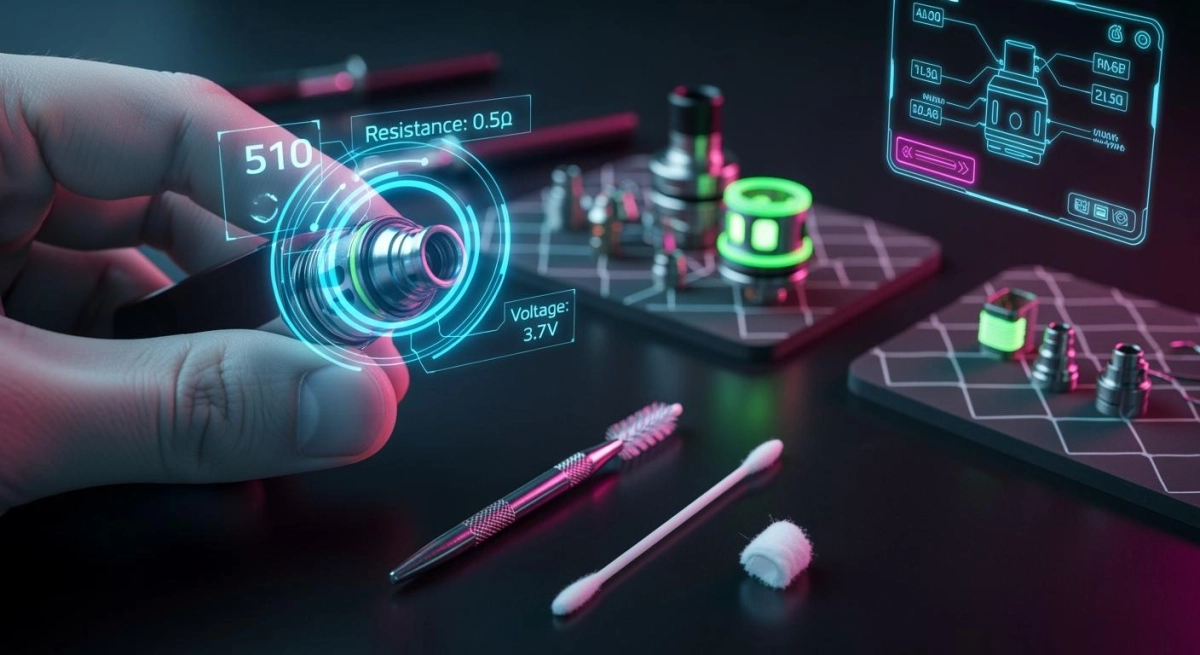
Direct answer: If your device suddenly won’t fire, fires only sometimes, or starts leaking at the base, the fastest fix is usually connector hygiene + seating: power off, remove the cartridge/tank, dry-wipe the threads and contact surfaces, then re-seat hand-tight and test. Most “dead” 510 setups fail because the threads and contact points are contaminated (dust, pocket lint, residue) or because the parts are not sitting flat. This guide is a QC-style troubleshooting and maintenance SOP for the 510 connector ecosystem commonly used across a 510 vape lineup.
- Power off before any inspection or cleaning.
- Remove the cartridge/tank before troubleshooting.
- Use only small amounts of solvent and let everything dry fully before reassembly.
- If you see melting, charring, severe deformation, or repeated auto-firing, stop and quarantine the unit.
Context: Vapehitech supplies empty hardware only. This article covers connector reliability, contact hygiene, and handling practices—not oils or formulations. For a deeper background on the interface itself, see 510 threading basics.
Fast triage in 60 seconds
- Power off → remove cartridge/tank.
- Dry check → look for wet residue at the base, on threads, and around the insulator.
- Thread lead-in → confirm the first turn is smooth (no grinding, no wobble).
- Contact check → confirm the center contact is clean (no dark ring, sticky film, or green/black discoloration).
- Re-seat → screw in hand-tight only until snug; test. If the issue improves, contamination/seating was your failure mode.
Troubleshooting 510 connector issues
The 510 connector behaves like a simple system: mechanical seating (threads + flat contact) and electrical contact (center contact + outer body path). Most failures are observable if you know what to look for. If you want the bigger system view (cartridge styles + where compatibility fails), reference 510 cartridge systems guide.
- Insulator ring torn, melted, or visibly displaced
- Black scorch marks, arcing pits, or a strong burnt electrical smell
- Repeated auto-firing even after cleaning and re-seating
- Connector surface hot enough that you cannot maintain touch comfortably (use an IR thermometer if available; thermal contact risk frameworks like ISO 13732-1 exist for hot-surface thresholds)
Troubleshooting Table
|
Symptom |
Likely cause |
Observable check |
Safe fix (in order) |
|---|---|---|---|
|
Device not firing |
Contamination on contacts; seating not flat |
No response when activated; visible film on threads/center contact |
Dry-wipe → IPA swab on threads/contact → fully dry → re-seat hand-tight → re-test |
|
Intermittent firing |
Tolerance stack; recessed center contact; uneven thread engagement |
Works when pressed/twisted; cuts out when released |
Clean + re-seat → try a known-good cart/tank → if recessed pin suspected, follow the “micro-adjust” caution below |
|
Atomizer / no-atomizer error |
Contact miss; oxide/film; incompatible seating depth |
Error appears immediately after install |
Clean + re-seat → verify smooth thread lead-in → if seating depth mismatch, use an adapter only after diagnosis |
|
Auto-firing |
Short condition; residue bridging contacts; damaged insulator |
Fires without activation or keeps firing |
Power off → remove cart/tank → inspect insulator and contact ring → clean and dry → if persists, quarantine/replace |
|
Wobbly or loose fit |
Worn threads; cross-thread damage |
Visible wobble; gritty first turn; uneven gap at base |
Stop forcing → inspect lead-in for burrs → replace worn part; prevent with caps/protectors |
|
Stuck cartridge/tank |
Over-tightened; residue glued threads |
Cannot unscrew by hand |
Do not use pliers on metal-to-metal → use a rubber grip → slow steady torque → clean threads after removal |
|
Hard draw after install |
Airpath blockage; residue at base |
Airflow feels restricted immediately |
Remove and inspect for residue at base → wipe + dry → reinstall; avoid sharp tools that can scratch airpath |
|
Hot connector area |
High resistance contact; poor seating; contamination |
Local heat near connector; discoloration risk over time |
Stop use → cool down → clean contacts → re-seat; if heat repeats, quarantine/replace |
|
Leaking at base |
Seal wear; overfill; storage angle; residue around interface |
Wet ring at base; sticky film on threads |
Wipe immediately → keep upright → inspect sealing surfaces → replace leaking module if persistent |
|
Device not charging / inconsistent charge |
Contamination at contact/port; debris; damaged connector area |
Charging indicator inconsistent; port feels loose |
Power off → dry clean around connector area → inspect for damage; if mechanical looseness is present, replace |
- Do this only after cleaning and only when you can clearly see the center contact is recessed and not making contact.
- Never pry aggressively. Do not tear or deform the insulator ring.
- Use a non-metal pick (preferred) or a plastic spudger. Apply a tiny lift—think “fraction of a millimeter.”
- If the center contact does not spring back or the insulator looks damaged, stop and replace.
Common fixes explained (QC-style)
- Cleanliness beats force: if you feel grinding or resistance, stop and re-align. Forcing causes cross-thread damage.
- Hand-tight is the rule: over-tightening increases stuck parts and can distort seating.
- One change, then re-test: after each fix step, re-seat and test. This isolates the true failure mode.
Maintenance checklist and safe cleaning
Maintenance is the easiest way to reduce intermittent contact, heat-at-the-connector symptoms, and base leaks. If you want a broader SOP view for 510 attachments, see 510 atomizer care SOP.
Maintenance Checklist
|
Task |
Cadence |
Tools |
Pass/Fail cues |
|---|---|---|---|
|
Dry wipe threads + contact |
Daily |
Lint-free wipe / clean swab |
Pass: bright metal, no sticky film. Fail: dark ring, tacky residue, visible debris. |
|
Deep clean contact surfaces |
Weekly |
IPA (≥90%), low-lint swab |
Pass: no smear on swab after 2 passes. Fail: persistent black/green transfer. |
|
Inspect insulator + seating flatness |
Monthly |
Bright light + magnifier |
Fail if: cracks/tears, melting, displacement, or visible arcing pits. |
|
Thread lead-in check |
Monthly |
Visual + “first turn” feel |
Fail if: gritty start, burrs, wobble, uneven gap, cross-thread marks. |
- Power off and remove the cartridge/tank.
- Dry wipe first (removes loose debris without spreading solvent).
- Moisten (do not soak) a low-lint swab with IPA ≥90% and wipe threads + contact surfaces.
- Repeat with a fresh swab if you still see residue transfer.
- Air dry completely before reassembly (solvent trapped in crevices can create intermittent issues).
Why IPA: connector OEMs commonly specify isopropyl alcohol for cleaning contacts and internal connector surfaces; avoid harsh chemicals that attack plastics or leave residue. (See the non-battery OEM reference list below.)
Material compatibility tips (practical)
- Avoid acetone near plastics, seals, and painted surfaces unless a manufacturer explicitly approves it.
- Use low-lint materials (paper towels can shed fibers that become the next failure mode).
- Do not “wet flood” the connector area—more solvent is not more cleaning.
Preventing repeat issues for B2B programs
B2B returns usually come from the same few connector failure modes: contamination during packing, cross-thread damage during handling, and tolerance/seat mismatch. Here is a simple prevention layer you can standardize. For a broader procurement + packaging checklist, see B2B QC and packaging checklist.
Incoming QC inspection for 510 connector
- Visual cleanliness: no oil film, no fibers, no metal flakes. Fail units go to quarantine bin.
- First-turn smoothness: if the lead-in grinds or catches, do not “run it in.” That’s how cross-threads are born.
- Seating flatness: look for an even gap and stable posture (no rocking).
- Heat/arc indicators: discoloration or pitting is a stop sign for resale.
Packing and handling best practices
- Cap/protect the interface: use thread protectors/caps to prevent dust and accidental thread impact.
- Dust control: keep packing surfaces clean; avoid fiber-shedding materials inside the packaging.
- Training cue: “hand-tight only” and “reverse a half-turn to find the thread start” reduces cross-thread events.
- Install: align → hand-tight → stop when snug.
- If it doesn’t fire: power off → remove → dry wipe threads/contact → re-seat.
- Keep upright; wipe base if any residue appears.
- Never force a gritty first turn; replace the part instead of damaging both sides.
Compatibility note: if your failure mode is seating depth mismatch (it screws in, but contact is unreliable), diagnose first and then consider an adapter. A dedicated guide is here: adapter troubleshooting.
Authoritative references (non-battery)
The links below are intentionally sourced from connector OEMs, electronics cleaning suppliers, and standards bodies. They focus on cleaning methods, contact hygiene, thread inspection concepts, and hot-surface safety—without relying on battery-focused guidance.
- TE Connectivity (PDF): Cleaning procedure specifying isopropyl alcohol for connector cleaning — TE cleaning procedure
- Amphenol Industrial (PDF): Termination instructions stating to use a clean cloth moistened with isopropyl alcohol — Amphenol cleaning note
- Molex (PDF): Solderability spec referencing 91% isopropyl alcohol for cleaning remaining residue — Molex solderability spec
- M.G. Chemicals: Electronics cleaner selection and residue considerations — MG Chemicals electronics cleaning guide
- Techspray: Practical tips for cleaning electrical contacts — Techspray contact cleaning tips
- ISO: Hot-surface contact burn threshold framework (ISO 13732-1) — ISO 13732-1 overview
- Thread gaging / inspection (industry reference): Plug gage usage and inspection concepts — ThreadCheck plug gage guide
- Internal thread inspection concepts (metrology reference) — Vermont Gage thread inspection overview
FAQ
What is a 510 connector in simple terms?
A 510 connector is a threaded interface that joins a vape attachment (cartridge/tank/atomizing module) to a compatible device top connection. Reliability depends on two things: the parts seat flat mechanically, and the contact surfaces stay clean and stable.
Why does my 510 vape screw in but not fire?
The most common reason is contact instability: residue on the contact surfaces, a recessed center contact, or seating depth mismatch. Clean first, re-seat hand-tight, then test. Only after that should you consider compatibility accessories.
How often should I clean the 510 connector?
Do a quick dry wipe daily if the device is handled frequently. Do a deeper clean weekly (IPA ≥90% on a low-lint swab) and let it fully dry before reassembly. Monthly, inspect the insulator ring and thread lead-in for damage.
Is it safe to lift the center contact pin?
Only as a last step, and only as a micro-adjust. If you need more than a tiny lift, or the insulator looks stressed, stop and replace the part. Aggressive prying can damage the insulator and create unsafe failure modes.
What causes leaking at the base near the connector?
Base leaks are commonly tied to seal wear, residue at the interface, storage angle, or repeated over-tightening. Wipe immediately, keep upright, and replace the leaking module if the issue persists after cleaning.
What’s the most effective way for B2B buyers to reduce returns?
Standardize an incoming QC routine: cleanliness check, first-turn smoothness check, seating flatness check, and a quarantine rule for insulator damage or arcing marks. Then add basic handling instructions (“hand-tight only” + “never force a gritty first turn”) to every shipment.
Summary: Most 510 connector problems are fixed by clean contact surfaces, correct seating, and repeatable handling rules. Treat your connector like a precision interface—not something you tighten harder when it fails.


3 Comments
Really enjoyed this post. Clear and well-written!
Love your writing style. The examples were especially useful.
This was a quick but informative read. Looking forward to more updates.