

Searching “vape pen not working after charge” usually means you already tried the obvious. This guide focuses on the most common post-charge failures—what causes them, the fastest safe fixes, and clear “stop” signals. It supports the broader pillar topic: vape pen not working.
1-minute fast triage (don’t guess)
When a vape pen won’t work after charging, treat it like a diagnosis: change one variable at a time so you can isolate the root cause.
| If you see… | Most likely category | Best first move |
|---|---|---|
| No lights, no response | Lock state, depleted cell, blocked charge transfer | Try unlock + swap cable + swap power source |
| Blinks right after you try to activate | Low power, contact error, protection cutoff | Remove part, clean contacts, re-seat gently |
| Lights on, but no vapor | Contact or airflow path | Clean + re-seat; test a known-good part |
| Gets warm while charging or right after | Charging mismatch, protection behavior | Stop, cool down, reassess charging method |
For baseline setup and care routines that reduce user-caused failures, see: how to use a vape pen.
Issue 1: “Full” indicator, but it didn’t really charge
Typical symptoms
- Charging light suggests “full,” but it won’t turn on or dies immediately.
- It works for a few seconds, then blinks and stops.
Why it happens
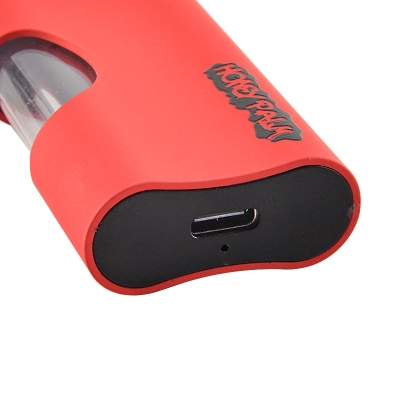
- Unstable cable contact or an underpowered/unstable USB source leads to partial charge.
- A worn cable can deliver data/indicator behavior without reliable power transfer.
- Port contamination causes intermittent contact that “looks” like charging.
Fast fixes (safe order)
- Swap the cable first (known-good cable).
- Swap the power source (a different USB port/adapter).
- Charge for 15–20 minutes, then re-test.
When to stop
If it becomes unusually warm during charging, stop and move to Issue 4 and Issue 6 before trying again.
Issue 2: Lockout or reset state after charging
Typical symptoms
- Charging appears normal, but activation does nothing.
- It responds only after a specific button pattern.
Why it happens
Many pens have a lock/unlock or safety state to prevent accidental activation. Some also behave differently right after charging (brief “sleep” or a reset-like state).
Fast fixes
- Try the standard lock/unlock pattern for your pen.
- Disconnect from power, wait 10 seconds, then try again.
- If you use 510 threads, remove the part and test the pen alone (no part attached) to see if the pen responds.
If you want the simplest mental model of what “activation” actually does inside a pen, read: how vapes work.
Issue 3: Port contamination blocks charge transfer
Typical symptoms
- Charging is inconsistent (sometimes it “takes,” sometimes it doesn’t).
- The cable feels loose or only works at a certain angle.
Why it happens
Lint, pocket debris, residue, or moisture can prevent consistent electrical contact. That can yield a misleading charging indicator while the battery receives little or no charge.
Fast fixes
- Inspect the port with good lighting.
- If debris is visible, use gentle, non-metal cleaning methods and keep everything dry.
- After cleaning, re-test with a known-good cable and a stable power source.
Issue 4: Charger mismatch and unsafe charging habits
Typical symptoms
- Pen charges, but becomes warm or behaves erratically afterward.
- Intermittent blinking or sudden shutdown after “full” charge.
Why it happens
Using incompatible chargers, charging unattended, or charging in extreme temperatures can increase heat and stress the electrical system. Some pens may respond by cutting off output or refusing to operate until conditions normalize.
Safer charging rules (quick checklist)
- Charge on a stable surface, away from clutter and flammable items.
- Avoid unattended charging; disconnect once charged.
- Use compatible charging methods and follow maker instructions.
- Avoid charging in very hot or very cold environments.
Authoritative safety guidance: FDA tips to help avoid battery fires or explosions · USFA e-cigarette fire safety flyer (PDF).
Issue 5: 510 contact instability after re-seating
Typical symptoms
- It worked before charging, but after re-attaching the 510 part it won’t hit.
- It blinks only when the 510 part is attached.
- It works with one part but not another.
Why it happens
- Threads and center contact points accumulate residue and oxidation.
- Over-tightening can reduce effective contact pressure or change seating.
- Small tolerance differences add up across parts and can cause intermittent contact.
Fast fixes (best order)
- Power off. Remove the 510 part.
- Clean threads and center contact gently; ensure everything is fully dry.
- Re-seat “snug only” (avoid forcing the final twist).
- Test a known-good, compatible part to isolate whether the issue follows the pen or the part.
Issue 6: Protection cutoff triggered (short/overcurrent/heat)
Typical symptoms
- Rapid blinking and no output right after activation.
- Sudden shutdown under load, even after a full charge.
- It becomes warm quickly or repeats the same cutoff pattern.
Why it happens
Many pens include protective behavior that blocks output if the electrical path looks unsafe (short-like behavior, overcurrent, or heat-related conditions).
Fast fixes
- Remove the part and test the pen alone (no part attached).
- Let it cool fully, then re-test with a known-good compatible part.
- Clean contacts before re-attaching the part.
When to stop
If the pen repeatedly overheats, shows burn marks, swells, or triggers cutoffs even with known-good parts and a known-good charger setup, retire it from use.
For context on safety evaluation of e-cig electrical systems, see UL’s overview of UL 8139: UL 8139 battery and electrical safety evaluation.
Issue 7: Battery degradation (charges “fine,” fails under load)
Typical symptoms
- Charging behaves normally, but performance collapses as soon as you try to use it.
- It turns on, then quickly blinks and stops during a draw.
- Runtime is dramatically shorter than normal.
Why it happens
Over time, a lithium cell can lose effective capacity and show more voltage sag under load. That means it may report “charged,” but it can’t sustain output when the pen needs power most.
Fast fixes
- Compare behavior against a known-good pen under the same conditions.
- Confirm the charging setup with a known-good cable and stable power source.
- If the pen repeatedly fails under load, retire/replace it rather than forcing repeated cycles.
For lithium battery safety requirements and test frameworks, see: IEC 62133-2 (portable sealed lithium cells).
B2B: a repeatable “swap one variable” workflow
For teams handling many pens, a consistent workflow prevents wasted time and reduces misclassification (for example, blaming the battery when the root cause is 510 contact).
Workflow (fast, repeatable)
- Label the symptom: dead / blinking / lights-on-no-output / charge-unstable / overheating.
- Swap the cable (known-good).
- Swap the power source (known-good).
- Swap the part (known-good compatible).
- Clean contacts and re-seat snug only.
- Record outcome: pen-fault vs part-fault vs contact-fault vs charging-setup fault.
Prevention: stop the same failure from returning
Weekly 3-minute routine
- Clean threads and center contact points (especially for 510).
- Inspect the charging port for lint and keep it dry.
- Re-seat parts snug only—avoid over-tightening.
Charging habits that reduce repeat failures
- Charge at room temperature when possible.
- Do not charge unattended; disconnect once charged.
- Use compatible charging methods and avoid unstable power sources.
FAQ
Why is my vape pen not working after charge even though it shows full?
The most common causes are a weak cable/power source, port contamination, or a cell that can’t deliver power under load. Swap the cable, swap the power source, and test with a known-good compatible part.
My pen blinks right after charging. Is it broken?
Not always. Blinking commonly signals low power under load, contact instability (especially with 510), or protection cutoff behavior. Clean contacts, re-seat snug only, and test with a known-good compatible part.
What is the most common “charged but won’t work” root cause?
For 510 setups, unstable contact after re-seating is a top cause. Clean the threads and center contact, avoid over-tightening, and test with a known-good compatible part.
Should I keep charging it if it gets warm?
No. Stop charging, let it cool, and reassess your charging method. If warmth repeats, or you see swelling/burn marks, retire the pen from use.
Where can I learn a consistent setup and care routine?
Start with: how to use a vape pen and then build SOPs from: Vapehitech Guides.
Authoritative references
The external resources below are widely used, high-authority references for charging safety and electrical risk reduction:
- U.S. FDA: tips to help avoid battery fires or explosions
- U.S. Fire Administration (FEMA): e-cigarette fire safety flyer (PDF)
- UL: UL 8139 battery and electrical safety evaluation overview
- IEC: IEC 62133-2 portable sealed lithium battery safety standard
- UN: Manual of Tests and Criteria (lithium battery test framework context)



3 Comments
Simple but informative. Loved it.
Appreciate the info. Keep posting!
Well explained and straight to the point.